
Most people think keeping cryptocurrency on an exchange is fine-until it’s not. When Mt. Gox collapsed in 2014, over 850,000 BTC vanished. Since then, more than 68% of stolen crypto in 2023 came from hot wallets and exchanges, according to Chainalysis. If you’re holding any significant amount of Bitcoin, Ethereum, or altcoins, you need cold storage. That’s where a hardware wallet comes in.
What a Hardware Wallet Actually Does
A hardware wallet is a small physical device, like a USB stick or a card, that stores your private keys offline. Unlike phone or computer wallets, it never connects to the internet directly. When you sign a transaction, the device does it inside its secure chip-your keys never leave. Even if your laptop gets hacked, your crypto stays safe. The first hardware wallet, Trezor One, came out in 2014. Today, Ledger and Trezor dominate the market. Ledger shipped over 5 million devices by the end of 2024. Trezor sold more than 1.2 million. Coldcard and Tangem serve niche audiences-Bitcoin purists and people who want something card-shaped, respectively. These devices use certified secure chips. Ledger’s Nano series uses an ST33J2M0 chip with EAL5+ certification. Trezor Model T runs on an NXP LPC55S69. Both are designed to resist physical tampering. If someone tries to open the device or probe its circuits, it wipes itself.Choosing the Right One for You
Not all hardware wallets are the same. Here’s what to look for:- Ledger Nano S Plus ($79): Best for beginners. Simple screen, easy to use, supports 5,500+ coins. But it only holds 3 apps at once. Good if you’re just starting with Bitcoin and Ethereum.
- Ledger Nano X ($149): Adds Bluetooth, so you can manage crypto from your phone. Stores up to 100 apps. Ideal if you trade across multiple chains like Solana, Polygon, or Avalanche.
- Trezor Model One ($59): Fully open-source firmware. No secure element chip, but it’s been audited more than any other device. Great if you trust code over hardware.
- Trezor Model T ($219): Touchscreen, Shamir Backup (split recovery phrase), and better UI. Best for advanced users who want control and redundancy.
- Coldcard Mk4 ($139): Bitcoin-only. Air-gapped signing, PSBT support, multisig. Used by institutional holders and Bitcoin maximalists.
- Tangem ($49): NFC card. Tap it to your phone to sign. Only supports 5 coins. Fun for small amounts, not for serious holdings.
According to a 2024 CryptoSlate comparison, Ledger supports 125+ EVM chains-more than anyone else. Trezor leads in transparency. Coldcard is the most secure for Bitcoin. Your choice depends on how many coins you hold and how much control you want.
Step 1: Buy Direct from the Manufacturer
Never buy a hardware wallet from Amazon, eBay, or a third-party seller. There have been cases where devices were tampered with before shipping-malicious firmware installed, recovery phrases stolen before you even unboxed them. Ledger’s Security Advisory LS-2023-01 warns: “Only purchase directly from ledger.com.” Trezor says the same on trezor.io. If you buy from a reseller, you’re trusting someone else’s supply chain. That defeats the whole point. When your device arrives, check the seal. If it’s broken, don’t turn it on. Contact support immediately. Most companies will replace it free.Step 2: Initialize the Device and Write Down Your Recovery Phrase
Plug your wallet into your computer using the included USB cable. Open the official app-Ledger Live for Ledger, Trezor Suite for Trezor. The device will guide you through setup. The most critical step: generating your 24-word recovery phrase. This is your backup. If you lose the device, drop it in the toilet, or it gets stolen, this phrase brings everything back. Do this exactly:- Let the device generate the phrase on its screen-never on your computer.
- Write each word in order on paper. Use a pen, not a pencil.
- Double-check spelling. One wrong word breaks everything.
- Store it somewhere safe: a fireproof safe, a metal backup like Cryptosteel, or buried in a waterproof container.
- Never take a photo. Never store it in a note app, cloud drive, or email.
According to Reddit’s r/CryptoCurrency, 63% of users messed up their first recovery phrase setup-either wrote it wrong, stored it digitally, or didn’t test it. Don’t be one of them.

Step 3: Test the Recovery Phrase Before Funding
This step is skipped by 90% of new users. Don’t be one of them. Reset your device (settings > security > reset). Go through the setup again. This time, choose “Restore from recovery phrase.” Type in the 24 words you wrote down. If your wallet restores correctly and shows your balance (even if it’s $0), you’ve succeeded. If it fails, you wrote something wrong. Go back, recheck every word. This is your last chance to fix it before you deposit real money. A Reddit user in r/Bitcoin recovered $28,500 in BTC after dropping their Ledger Nano S in the sink-because they’d tested their recovery phrase weeks earlier. That’s the difference between panic and peace of mind.Step 4: Set a PIN and Enable Passphrase (Optional but Strongly Recommended)
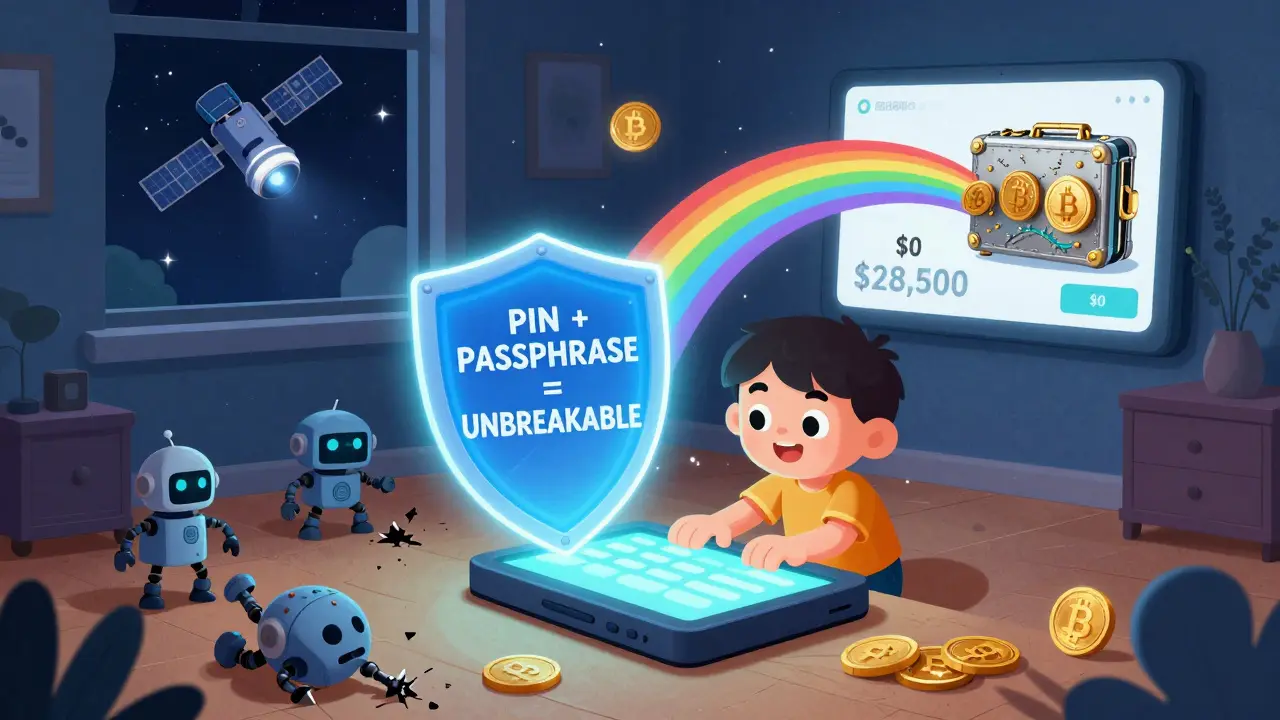
Your PIN is the first layer of protection. It’s usually 4 to 9 digits. Choose something you can remember but won’t guess easily. Don’t use your birthday or 1234. Now, enable the passphrase. This is an extra 12- to 24-word secret you add on top of your recovery phrase. It creates a completely different wallet. If someone steals your recovery phrase, they still can’t access your funds without the passphrase. Dr. Ari Juels from Cornell Tech proved in a 2024 IEEE paper that passphrase protection makes hardware wallets nearly immune to recovery phrase theft. The passphrase is never stored on the device. You type it manually each time you unlock it. It’s not for beginners-but if you’re holding more than $10,000, it’s worth the extra step.Step 5: Send a Small Test Transaction
Before depositing your life savings, send a tiny amount-$1 worth of Bitcoin or Ethereum-to your wallet. Confirm it shows up on the device screen. Then send it back. This tests three things:- Does the device sign transactions correctly?
- Do you see the correct address on the screen before approving?
- Does the transaction appear in your app?
If any step feels off-like the address on your computer doesn’t match the one on the device-stop. That’s a phishing attempt. Never approve a transaction based on your computer screen. Always verify on the hardware wallet itself.
Step 6: Update Firmware and Keep It Updated
Firmware updates fix security holes. Ledger released version 2.3.0 in November 2024, adding Solana support and fixing a vulnerability in their Ledger Recover service. That service had exposed 3,400 users’ recovery phrases in January 2024. Always update through the official app. Never download firmware from random websites. If you’re asked to install a file from an unknown source, close it. That’s how hackers get in. NIST’s 2024 Crypto Security Guidelines (SP 800-208) require hardware wallets to have secure boot and automatic update mechanisms. All major brands meet this. But you have to enable it.What Not to Do
Here are the top mistakes people make:- Storing recovery phrases on phones, computers, or cloud storage.
- Using the same PIN as your phone or email password.
- Letting someone else see your recovery phrase-even your spouse.
- Ignoring firmware updates.
- Buying from Amazon or eBay.
- Thinking the device is “hack-proof.” It’s not. It’s just the most secure option available.
According to Fidelity’s 2024 Digital Asset Report, 62% of institutional investors use hardware wallets. But only 34% of individual users do. Most people still keep crypto on exchanges. That’s like keeping cash under your mattress and calling it “safe.”
What Comes Next?
The hardware wallet market is growing fast. It hit $1.23 billion in 2024 and is expected to hit $1.7 billion by 2026. The EU’s MiCA regulations, effective June 2025, will require all crypto platforms to use hardware wallets for customer funds. That’s going to push adoption even higher. New models are coming. Ledger’s Nano Z, expected in Q3 2025, will include quantum-resistant cryptography. Coldcard plans to integrate Lightning Network signing. Trezor is partnering with Blockstream to let users broadcast transactions via satellite-no internet needed. But the core principle hasn’t changed since 2014: your keys, your crypto. If you don’t control the private keys, you don’t own the coins.Final Thoughts
Setting up a hardware wallet takes 15 minutes. But it protects your life’s savings for years. It’s not glamorous. It’s not flashy. But it’s the single most important thing you can do for crypto security. Start with the right device. Write down your recovery phrase. Test it. Update it. Never skip the steps. And never, ever trust your computer screen over your hardware wallet’s screen. Your crypto is worth more than the device. Protect it like it is.Can I use a hardware wallet with my phone?
Yes, but only if your device supports Bluetooth or NFC. Ledger Nano X and Tangem work with mobile apps. Trezor Model T can connect via USB-C to Android phones. Always use the official app-Ledger Live or Trezor Suite. Never use third-party apps.
What happens if I lose my hardware wallet?
If you’ve written down your 24-word recovery phrase correctly, you can restore your wallet on any new hardware device. Just buy a replacement, initialize it, and choose “Restore from seed.” Your funds will appear. If you didn’t write it down, your crypto is gone forever.
Are hardware wallets immune to hacking?
No device is completely immune. But hardware wallets are the most secure consumer option. They prevent remote attacks because private keys never leave the device. The biggest risk is physical theft combined with a weak PIN or no passphrase. Always use a strong PIN and consider adding a passphrase for extra protection.
Can I store multiple cryptocurrencies on one hardware wallet?
Yes. Most modern hardware wallets support over 1,850 cryptocurrencies across 100+ blockchains. Bitcoin and Ethereum are universally supported. Newer coins like Solana, Cardano, and Polygon are added through firmware updates. Check your device’s compatibility list before buying.
How often should I update my hardware wallet’s firmware?
Check for updates every 3 to 6 months. Manufacturers release updates to fix security issues. Ledger and Trezor notify you when an update is available through their apps. Always install them immediately. Skipping updates leaves you vulnerable to known exploits.
Is a hardware wallet better than a software wallet?
For long-term storage, yes. Software wallets (like MetaMask or Trust Wallet) are convenient for trading but vulnerable to malware, phishing, and device theft. Hardware wallets keep keys offline, making them nearly impossible to hack remotely. Use software wallets for small, active amounts. Use hardware wallets for anything you plan to hold for more than a few weeks.