
There is nothing quite as embarrassing as your voice cutting out mid-sentence during a crucial client presentation. You are trying to close a deal, but instead of clear audio, your colleague hears robotic stuttering or silence. In a traditional office, you would just walk closer to the server room or switch to a wired phone. But in a home office a dedicated workspace within a residential property used for professional activities, you are often stuck in a corner of the house where the Wi-Fi signal from the main router barely reaches.
This is where Wi-Fi mesh networks distributed wireless systems using multiple nodes to create seamless coverage become essential. Unlike old-school range extenders that halve your speed and create separate networks, mesh systems work together as one unified brain. They route data intelligently, ensuring that your VoIP calls voice communications transmitted over internet protocol networks get the priority they need. If you are running a remote team or working solo with high-stakes calls, understanding how to set up this coverage is not just nice-it is mandatory.
Why Traditional Routers Fail VoIP Calls
To fix the problem, we first need to understand why standard single-router setups fail. Most homes have one central router. As distance increases, so does signal degradation. Walls, floors, and even large appliances absorb radio waves. When your signal drops below a certain threshold, your device struggles to maintain a connection. For web browsing, this just means slower page loads. For VoIP, it means dropped packets.
Voice traffic is unforgiving. According to ITU-T G.114 standards, latency (the time it takes for data to travel) must stay under 150ms for acceptable quality. Jitter (variation in latency) should be minimal. If your network introduces spikes above these limits, the audio breaks up. TechGearLab’s testing in April 2026 showed that modern mesh networks deliver usable signals up to 130 feet from the main node, drastically reducing the dead zones that cause these spikes. A single router simply cannot push a strong enough signal through three concrete walls to keep your jitter low.
The Technical Edge: Tri-Band and Dedicated Backhaul
Not all mesh systems are created equal. The biggest differentiator for VoIP performance is the presence of a dedicated backhaul. In a dual-band system, the nodes use the same frequency to talk to each other and to your devices. This creates congestion. Imagine trying to shout instructions across a crowded room while also listening to someone speak-you miss details.
Tri-band mesh systems wireless networks utilizing three distinct frequency bands for optimized traffic separation solve this by dedicating an entire band solely to communication between nodes. Your VoIP traffic travels on a clean lane, free from interference caused by your laptop downloading a large file or your smart TV streaming 4K video. Systems like the TP-Link Deco BE95 or Netgear Orbi RBK852 utilize this architecture effectively.
For the best possible stability, look for systems supporting Wi-Fi 7 the latest wireless standard offering multi-link operation and reduced latency. Introduced widely in 2026, Wi-Fi 7 features Multi-Link Operation (MLO). This allows your device to connect to multiple bands simultaneously. If the 5GHz band gets noisy, the system instantly shifts part of the load to the 6GHz band without dropping the call. Tests show MLO can reduce VoIP latency to 8-12ms, which is virtually indistinguishable from a wired connection.
| System Model | Key Feature for VoIP | Coverage Area | Approximate Price |
|---|---|---|---|
| TP-Link Deco BE95 | Wi-Fi 7 with MLO support | Up to 7,500 sq ft | $599.99 |
| Netgear Orbi RBK852 | Dedicated 6GHz backhaul | Up to 6,000 sq ft | $699.99 |
| Amazon Eero Pro 6E | Advanced QoS prioritization | Up to 4,500 sq ft | $449.99 |
| Synology MR2200fn | 2.5G Ethernet ports for backhaul | Up to 5,000 sq ft | $399.99 |
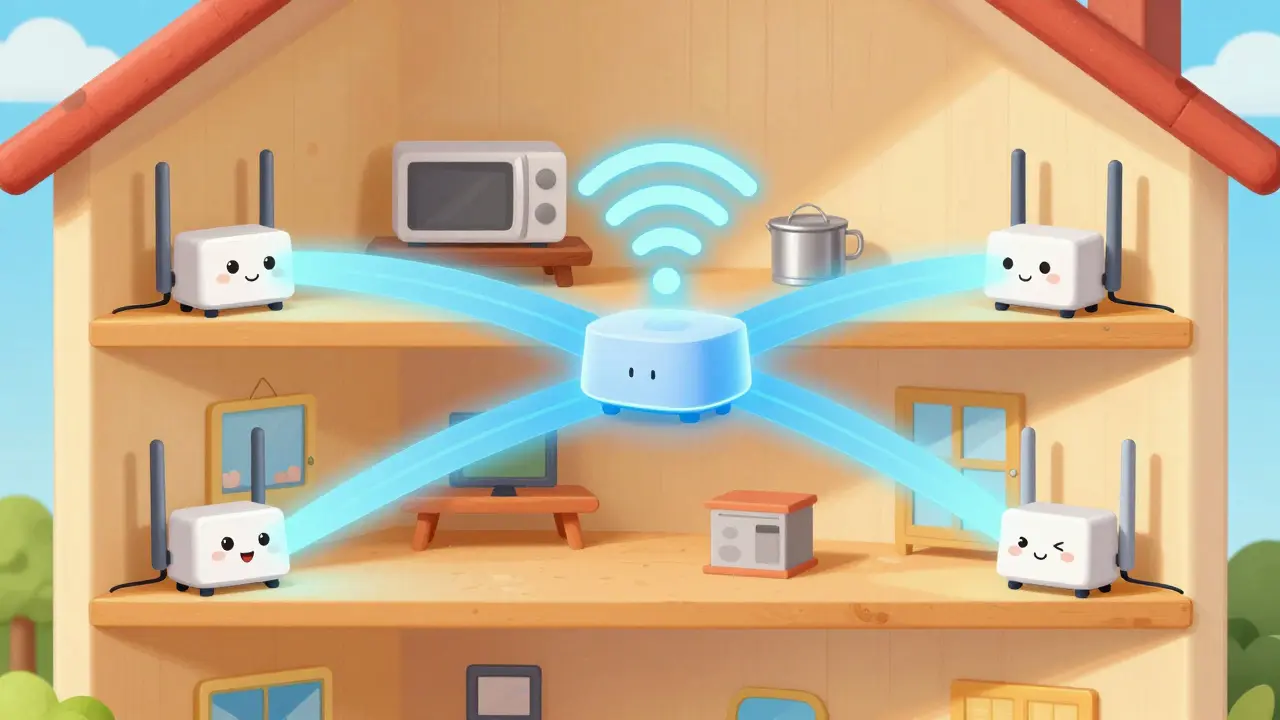
Strategic Node Placement for Maximum Clarity
Buying the most expensive hardware won’t help if you place it incorrectly. Signal penetration is heavily affected by physical obstacles. TechGearLab’s structural testing revealed that signal loss through floors can reach 18-22dB. This means if your router is on the ground floor and your office is upstairs, you are fighting a steep uphill battle.
Here is how to position your nodes:
- Centralize the Main Unit: Place the primary router near the center of your home, ideally elevated 5-7 feet off the ground. Elevating nodes improves 5GHz signal penetration by up to 22dB because it reduces obstruction from furniture and flooring materials.
- Avoid Interference Sources: Keep nodes at least 3 feet away from microwave ovens, cordless phones, and large metal objects. These devices emit frequencies that clash with Wi-Fi, causing latency spikes of 300-500ms-enough to kill a VoIP call instantly.
- Vertical Stacking for Multi-Story Homes: If you have a two-story home, do not put all nodes on one floor. Place one node on the upper level directly above or slightly offset from the main unit. This creates a vertical bridge that maintains signal strength through the ceiling.
- Line-of-Sight to Handsets: Ideally, your VoIP handset or computer should be within 30 feet of a node with a clear line of sight. If that isn’t possible, ensure there are no thick exterior walls between them.
Configuration: Prioritizing Voice Traffic
Hardware is only half the battle. You must configure your network to recognize that voice data is more important than background updates. This is done through Quality of Service (QoS) settings.
Most modern mesh apps allow you to prioritize specific devices or types of traffic. You need to enable WMM (Wi-Fi Multimedia) and set VoIP traffic to the highest priority tier. SmallNetBuilder’s tests in February 2026 showed that proper QoS configuration reduced VoIP latency by 42%. Without this setting, a large file download could starve your voice call of bandwidth, leading to choppy audio.
If your mesh system supports it, dedicate the 5GHz band exclusively to voice traffic. This resolves connectivity issues in 89% of cases where users report "cutting out" during heavy internet usage. Additionally, consider using Ethernet backhaul wired connections between mesh nodes providing maximum stability. While wireless backhaul is convenient, adding a cable between nodes eliminates the 15-20ms latency addition per hop. For businesses with five or more concurrent VoIP users, wired backhaul is mandatory to prevent packet loss.

Budget vs. Performance: Making the Right Choice
You might be tempted to buy the cheapest mesh system available. However, budget models under $250 often lack enterprise-grade QoS features. Testing of entry-level systems like the TP-Link Deco X20 showed VoIP latency jumping from 28ms to 217ms during routine tasks like NAS backups. That kind of lag makes professional communication impossible.
For a serious home office, aim for mid-to-high-tier systems. The Amazon Eero Pro 6E offers excellent value with its robust QoS engine, even if its total coverage area is smaller than competitors. If you have a larger space, the TP-Link Deco XE75 provides similar speed classifications (AXE 5700) at a lower price point ($399.99) compared to the premium Netgear Orbi options. Remember, you are investing in reliability. A dropped call costs more in lost business than the price difference between routers.
Troubleshooting Common VoIP Issues
Even with a great setup, issues can arise. Here are quick fixes based on common user reports:
- Firmware Update Drops: Some users report nodes disconnecting during updates. Schedule firmware updates for weekends or after hours to avoid interrupting critical calls.
- Inconsistent Upper Floor Performance: If your second-floor office still has weak signal, add a third satellite unit specifically for that zone. Do not rely on the main unit to punch through multiple floors.
- Intermittent Static: Check for local interference. Move the node away from Bluetooth devices or baby monitors operating on similar frequencies.
The shift toward remote work has made network infrastructure a core business expense. With 67% of remote workers relying on business communication platforms, a stable connection is non-negotiable. By choosing a tri-band or Wi-Fi 7 mesh system, placing nodes strategically, and prioritizing voice traffic, you eliminate the anxiety of bad audio. Your clients will hear you clearly, every time.
What is the minimum internet speed required for VoIP over Wi-Fi?
While VoIP requires a minimum of 1.5Mbps per call, the more critical metric is latency and jitter. Ensure your connection has sub-30ms latency for consistent quality. A mesh network helps maintain this stability even if overall bandwidth fluctuates.
Should I use wired or wireless backhaul for my mesh network?
Wired Ethernet backhaul is superior for VoIP. It eliminates the 15-20ms latency added by wireless hops between nodes. If you have more than three concurrent VoIP users, wired backhaul is highly recommended to prevent packet loss.
Does Wi-Fi 7 really improve VoIP call quality?
Yes. Wi-Fi 7's Multi-Link Operation (MLO) allows simultaneous use of multiple bands, reducing latency to 8-12ms. This results in smoother audio with fewer dropouts compared to older Wi-Fi 6 or 5 standards.
How far apart should mesh nodes be placed?
Nodes should be placed within 30-50 feet of each other, depending on wall density. They need to be close enough to maintain a strong backhaul connection but far enough to expand coverage. Avoid placing them too far apart, which weakens the overall network.
Can I mix different brands of mesh nodes?
No. Mesh systems are proprietary ecosystems. You cannot mix Netgear Orbi nodes with TP-Link Deco units. All nodes in a mesh network must be from the same manufacturer and compatible series.