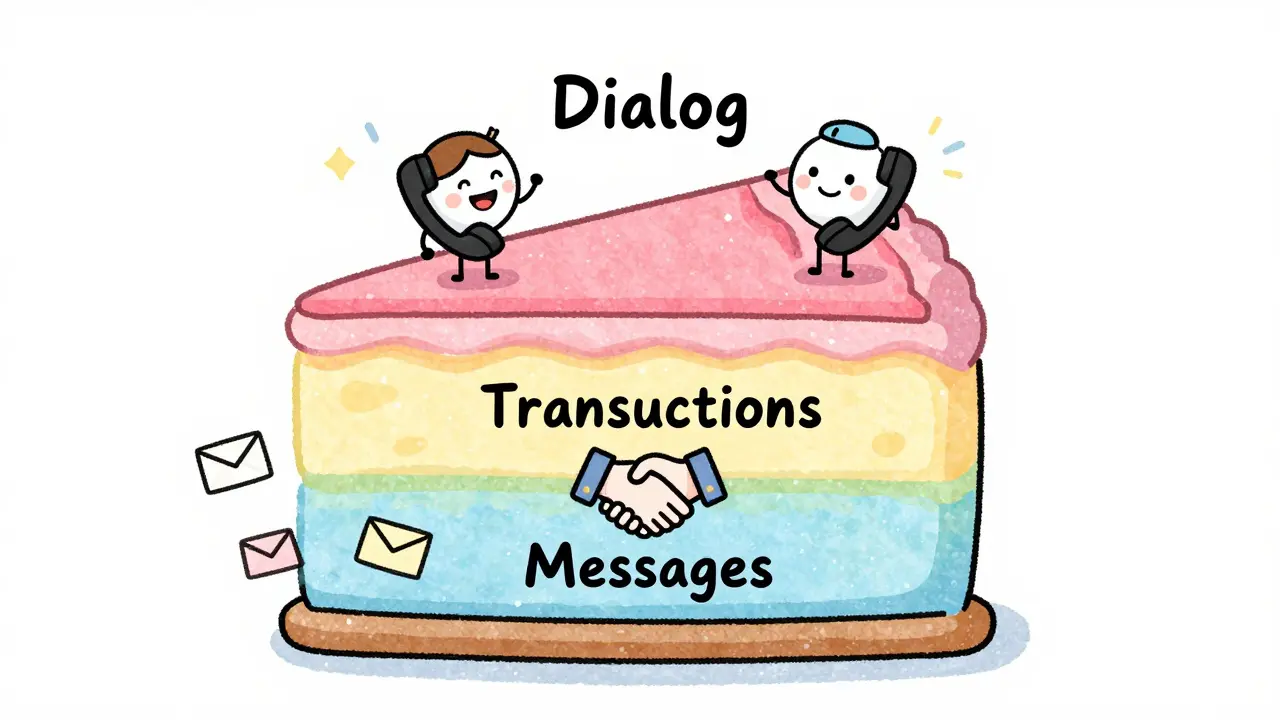
The Three Layers of SIP Communication
To understand how a call works, you can't just look at a single message. SIP (Session Initiation Protocol) works like a cake with three layers. At the bottom, you have individual messages. These are the raw packets being sent back and forth. But a single message doesn't do much on its own. Above messages, we have SIP Transactions. Think of a transaction as a a single "question and answer" session. If a phone sends a request, the transaction isn't over until it gets a final response or gives up. Finally, at the top, you have the dialog. While a transaction lasts only a few seconds, a dialog lasts for the entire duration of the call, from the first ring to the final click.Breaking Down the SIP Transaction
A transaction is the core mechanism for making sure messages actually arrive. According to RFC 3261, the standard that governs SIP, a transaction starts when a User Agent Client (UAC) sends a request. It then moves through states: "Trying," "Proceeding," and finally "Completed" once a final response hits the wire. Not all transactions are equal. SIP splits them into two camps:- INVITE Transactions: These are heavy lifters. They handle the complex process of starting a call, which might involve the phone ringing for a long time.
- Non-INVITE Transactions: These are simpler exchanges, like updating a user's status or sending a quick notification.
Establishing the Dialog: The Three-Way Handshake
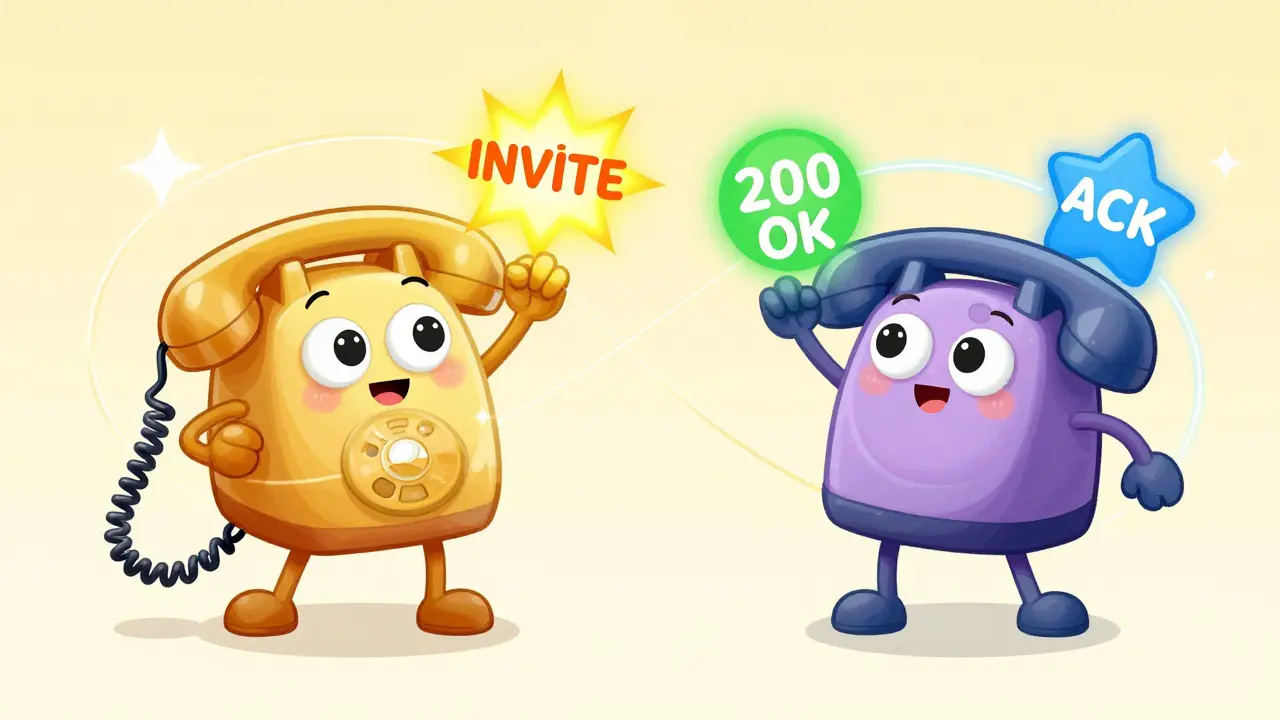
This is where the real magic happens. A dialog is a peer-to-peer relationship. It’s identified by a combination of the To tag, the From tag, and a unique Call-ID. But a dialog isn't just "born"; it has to be confirmed through a specific three-step process. First, User Agent A sends an INVITE message. This is the request to start a session. User Agent B receives this and, if they pick up the phone, sends back a "200 OK" response. However, the call isn't officially "active" yet. To seal the deal, User Agent A must send an ACK (Acknowledgment). This ACK is special. Unlike other SIP messages, it is only used in response to an INVITE. Why the extra step? Because SIP allows for "forking," where one call might ring five different phones. The ACK tells the network exactly which device finally answered the call, preventing the other four phones from ringing indefinitely.| Message | Primary Purpose | Context | Required Response |
|---|---|---|---|
| INVITE | Initiate a session | Transaction & Dialog Start | 200 OK (if accepted) |
| ACK | Confirm session establishment | Dialog Confirmation | None |
| BYE | Terminate an active session | Confirmed Dialog | 200 OK |
| CANCEL | Stop a pending invitation | Unconfirmed Transaction | 487 Request Terminated |
Ending the Call: BYE vs. CANCEL
One of the most common points of confusion in VoIP is the difference between BYE and CANCEL. If you use the wrong one, the call might stay open in the system, wasting resources or causing billing errors. Use BYE when the call has already been established. If you and your friend are talking and you hang up, your phone sends a BYE. This message is routed within the established dialog and requires a "200 OK" to confirm the call is dead. Importantly, no ACK is needed here-ACK is strictly for the initial INVITE process. Use CANCEL when you change your mind *before* the other person answers. If you call someone, realize it's the wrong number, and hit "End" while the phone is still ringing, you've sent a CANCEL. This doesn't end a dialog (because the dialog wasn't fully confirmed yet); it just kills the INVITE transaction.The Role of Proxy Servers and Record Routing
In a perfect world, two phones would just talk directly. In the real world, they go through Proxy Servers. To ensure a proxy server doesn't lose track of a call, it uses a mechanism called "Record-Routing." When a proxy handles the initial INVITE, it inserts a "Record-Route" header. This is basically the proxy saying, "Hey, if you want to send any more messages for this specific call, send them through me first." This routing info is passed back in the 200 OK response. Because of this, the proxy stays in the loop for the ACK and the BYE, allowing it to track the call's duration for billing and quality monitoring.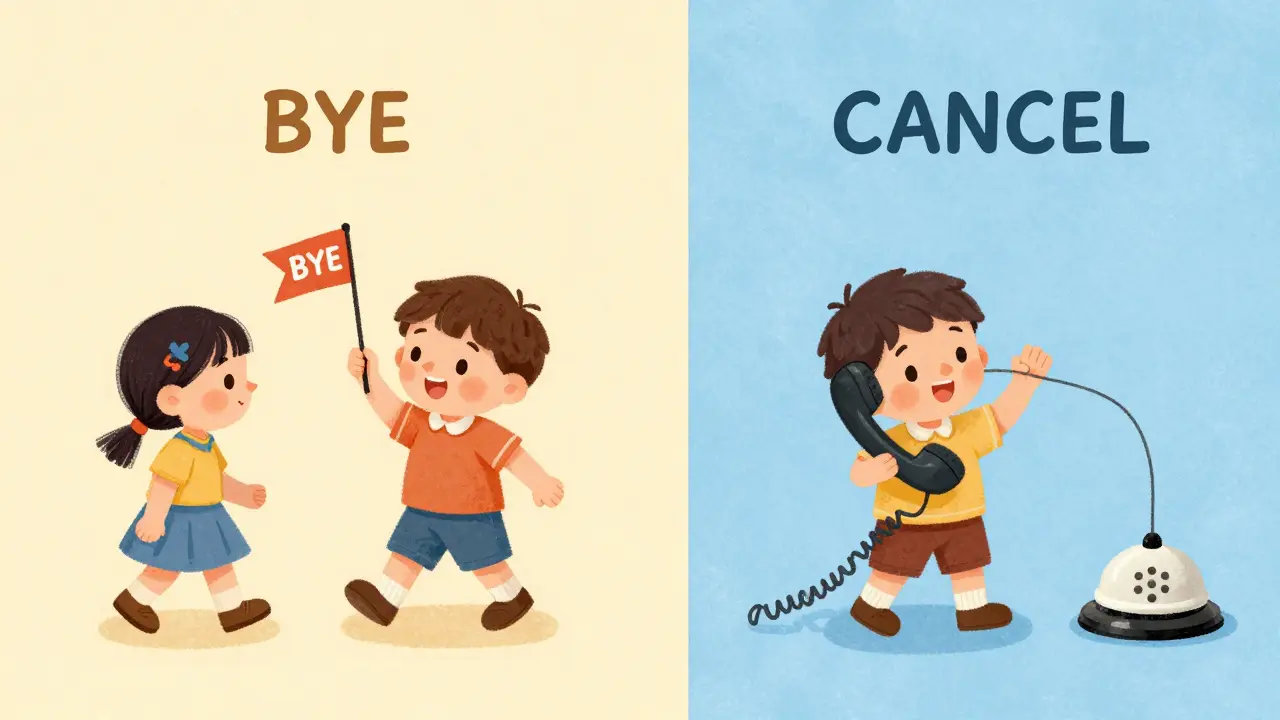
Handling Complex Scenarios and Multi-Usages
Basic calls are simple, but advanced features like call transfers or adding a third person create "multiple usages" within a single dialog. According to RFC 5057, a dialog can support several concurrent activities. For example, you might have the main voice call (the primary usage) and a simultaneous data stream for a screen-share. The dialog only truly disappears when all these usages are terminated. If you send a BYE for the voice part but the data stream is still active, the dialog remains alive in the system. The entire context is only wiped once the final BYE transaction completes and no other active usages remain.Common Pitfalls in Message Sequencing
Getting the order wrong leads to the "zombie calls" mentioned earlier. A critical rule in RFC 3261 is that a User Agent cannot send a BYE until it has received the ACK for the initial INVITE. If a system tries to skip the ACK and jump straight to BYE, it creates a race condition. The receiving end might not even know the call was fully established, leading to a state where one phone thinks the call is over while the other thinks it's still ringing. Similarly, the difference between UDP and TCP transport changes how these lifecycles are managed. On UDP, SIP must handle its own retransmissions. If an ACK is lost in transit, the server might keep the transaction open, waiting for a confirmation that never comes, eventually timing out after a set period defined by the SIP timers.Why is the ACK message necessary if we already have a 200 OK?
The ACK is required because SIP often uses UDP, which is an unreliable protocol. The 200 OK tells the caller the call was accepted, but the ACK tells the receiver that the caller actually received that notice. It also serves as a confirmation of which specific device answered in a "forked" call scenario where multiple devices were ringing.
Can I use a CANCEL message to end a call that is already in progress?
No. A CANCEL message is only for terminating a request that hasn't been answered yet (an unacknowledged session). Once the three-way handshake of INVITE, 200 OK, and ACK is complete, you must use a BYE message to terminate the established dialog.
What happens if the ACK message is lost?
If the ACK is lost, the User Agent Server (UAS) may think the caller never received the 200 OK. In many cases, the server will retransmit the 200 OK response until the ACK is received or a transaction timer expires. This ensures the session is reliably established.
How does a SIP Dialog differ from a SIP Transaction?
A transaction is a short-term exchange-a request and its corresponding responses. A dialog is a long-term relationship that can span multiple transactions. For instance, one dialog can contain an initial INVITE transaction, several re-INVITE transactions to change audio settings, and a final BYE transaction.
What is the purpose of the Record-Route header?
The Record-Route header allows proxy servers to remain in the signaling path for the entire duration of a call. By inserting their own URI, proxies ensure that all subsequent messages, such as ACK and BYE, pass through them rather than going directly between the two endpoints.