
Imagine walking into an office where every desk has a single cable running from the wall. No messy power bricks, no hunting for spare electrical outlets, and no risk of someone accidentally unplugging a phone charger during a critical call. This isn't a futuristic fantasy; it's the standard reality for modern Power over Ethernet (PoE) deployments. If you are setting up or upgrading an IP Phone System, understanding how PoE switches work is arguably more important than picking the specific handset model. You aren't just buying a switch; you're building the central nervous system that keeps your voice network alive.
For years, IT professionals debated whether PoE was worth the upfront cost compared to traditional AC adapters. Today, with the global PoE switch market projected to hit nearly $45 billion by 2035, the debate is over. PoE is the default. But here is the catch: many installations fail not because the technology is flawed, but because the planning is sloppy. People underestimate the power budget, ignore cabling standards, or mix incompatible switch tiers. Let’s break down exactly how to power your IP phones correctly, avoiding the common pitfalls that lead to dropped calls and fried hardware.
What Is a PoE Switch and Why Do Your Phones Need One?
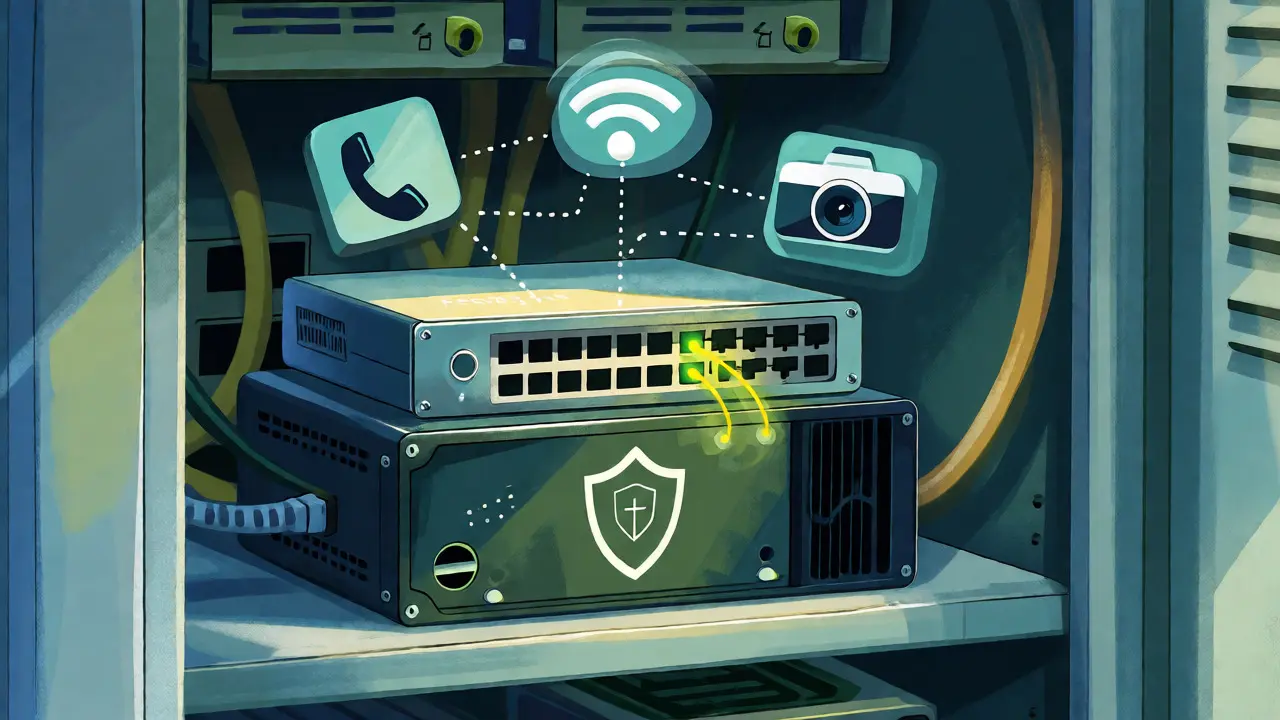
A PoE switch is an Ethernet switch that functions as Power Sourcing Equipment (PSE), delivering both DC power and data over standard twisted-pair cabling. Unlike a standard switch that only passes data packets, a PoE switch injects electrical current onto the unused pairs (or all four pairs in higher standards) of Cat5e or Cat6 cables. This allows devices like VoIP handsets, wireless access points, and IP cameras to operate using a single RJ-45 connection back to the wiring closet.
Why does this matter for your phone system? First, it simplifies installation. You don't need electricians to install new outlets at every desk location. Second, it centralizes management. If a phone freezes, you can remotely cycle the power on that specific port via the switch interface rather than crawling under a desk. Third, it improves reliability. By connecting your PoE switch to a Uninterruptible Power Supply (UPS), every connected phone stays online during a brief power outage. With individual AC adapters, one blown fuse kills one phone; with PoE, one UPS protects the entire fleet.
Most modern VoIP phones draw between 5 W and 13 W. Even high-end touchscreen models rarely exceed 15 W. This low power consumption means that even entry-level PoE standards can handle the load easily, provided the switch has enough total capacity.
Decoding the Standards: 802.3af vs. 802.3at vs. 802.3bt
You’ll see three main standards mentioned when shopping for switches. Knowing the difference prevents you from overspending or, worse, underpowering your devices.
- IEEE 802.3af (PoE): The original standard. It delivers up to 15.4 W per port, with about 12.95 W available to the device. This is sufficient for almost all standard business VoIP phones. If you only have basic handsets, this tier is often enough.
- IEEE 802.3at (PoE+): Doubles the power to 30 W per port (25.5 W available). This is useful if you plan to add dual-band Wi-Fi access points or PTZ cameras later. For phones alone, it offers headroom but isn't strictly necessary unless you have very power-hungry video phones.
- IEEE 802.3bt (PoE++): Delivers up to 60 W or even 90 W per port. This is overkill for phones but essential for heavy-duty devices like digital signage or multi-radio enterprise APs. Don't pay for this tier if you only run phones.
There is also "Passive PoE," which simply pushes voltage without negotiation. It’s cheaper but risky. If you plug a non-PoE device into a passive PoE port, you might fry it. Always stick to Active PoE (the IEEE standards above) where the switch and device negotiate power needs before current flows.
The Critical Calculation: Managing Your PoE Budget
Here is where most small business owners get tripped up. They buy a 24-port PoE switch and assume they can connect 24 high-draw devices. Wrong. The limiting factor is the PoE Power Budget, which is the total amount of wattage the switch can deliver simultaneously across all ports.
Manufacturers specify this budget in watts (e.g., 190 W, 370 W, 740 W). A 24-port switch might have a 190 W budget. If each phone draws 5 W, you can support roughly 38 phones mathematically (190 / 5 = 38). But wait, you only have 24 ports. So you’re fine. However, if you add two Wi-Fi access points drawing 15 W each, your calculation changes. You must sum the peak power draw of every connected device.
| Device Type | Standard Used | Max Port Output | Typical Device Draw | Notes |
|---|---|---|---|---|
| Basic VoIP Phone | 802.3af | 15.4 W | 5-7 W | Very efficient; minimal heat. |
| Video Conference Phone | 802.3af/at | 15.4-30 W | 8-13 W | Screen usage increases draw. |
| Dual-Band Wi-Fi AP | 802.3at | 30 W | 12-20 W | Check manufacturer specs carefully. |
| IP Camera (Fixed) | 802.3af | 15.4 W | 4-8 W | IR night vision adds load. |
| PTZ Camera | 802.3at/bt | 30-60 W | 20-25 W | Motors require burst power. |
Pro Tip: Always leave 20% headroom. If your devices sum to 150 W, buy a switch with at least a 180 W budget. Switches throttle power if they hit their limit, potentially causing phones to reboot or drop calls during peak usage.

Cabling Matters: Cat5e, Cat6, and Distance Limits
PoE travels over copper Ethernet cables, but not all cables are created equal. While Cat5e technically supports PoE, Cat6 is the recommended standard for new installations. Why? Heat. When you push power through thin wires, resistance generates heat. In bundled cables inside ceiling plenums, poor-quality Cat5e can overheat, degrading signal quality and potentially damaging insulation over time.
The maximum distance for PoE transmission is 100 meters (328 feet) from the switch to the device. This includes patch cords at both ends. If your server room is far from the furthest desk, measure twice. If you exceed 100 meters, you cannot simply use a longer cable; you need a PoE extender or a midspan injector. Most office layouts fit comfortably within this limit, but warehouse or campus environments often do not.
Network Configuration: VLANs and QoS for Voice Traffic
Plugging in the cable is half the battle. Configuring the switch ensures call quality. Voice traffic is sensitive to latency and jitter. If a large file transfer saturates the network, your phone calls will crackle or drop.
To prevent this, configure a dedicated Voice VLAN. This logically separates voice traffic from data traffic, ensuring security and prioritization. Next, enable Quality of Service (QoS). QoS tags voice packets with a higher priority (typically DSCP EF) so the switch processes them before handling bulk data transfers.
Do not use unmanaged consumer-grade switches for business VoIP. They lack these configuration options. If you daisy-chain cheap switches, you introduce latency and single points of failure. Stick to managed Layer-2 switches from reputable vendors like Cisco, HP (Aruba), Netgear ProSafe, or Ubiquiti UniFi.
Common Pitfalls and How to Avoid Them
Even experienced admins make mistakes. Here are the big ones:
- Connecting PSE to PSE: Never plug a PoE switch directly into another PoE switch unless the ports are specifically designed to accept power (PoE Passthrough). Doing so can damage the internal power supplies of both units. Use a non-PoE uplink port or a fiber module instead.
- Ignoring Passive PoE Mismatches: Some older or niche devices use Passive PoE (fixed voltage, e.g., 24V). If you plug a Passive PoE device into an Active PoE switch, it may not power on because the handshake fails. Conversely, plugging an Active PoE device into a Passive source can damage it. Check your phone’s spec sheet.
- Underestimating Future Growth: Buying a 190 W budget switch today might seem smart until you add ten more phones next year. Oversize your PoE budget slightly to accommodate future expansion without replacing the hardware.
- No UPS Backup: Without a UPS, a power flicker reboots every phone in the office. During a reboot, phones lose registration with the PBX, meaning incoming calls go to voicemail or busy signals until they reconnect. A UPS buys you minutes of uptime to finish calls or gracefully shut down.
Step-by-Step Implementation Guide
Ready to deploy? Follow this workflow:
- Audit Your Needs: Count your current phones and estimate future additions. Note the max power draw of each device model.
- Calculate Budget: Sum the power requirements. Add 20% buffer. Select a managed PoE switch with a budget exceeding this number.
- Install Cabling: Run Cat6 cables from the comms room to each desk location. Keep runs under 100 meters.
- Configure Switch: Log into the switch interface. Create a Voice VLAN. Assign phone ports to this VLAN. Enable QoS for voice traffic.
- Connect Devices: Plug the switch into your router/firewall. Connect phones to the PoE ports. Verify link lights and power status.
- Test: Make test calls. Check the switch dashboard for per-port power consumption to ensure it matches expectations.
Can I use any Ethernet cable for PoE?
Technically, yes, but you should use Cat5e or Cat6 cables. Older Cat5 cables may overheat under PoE loads due to higher resistance. Ensure the cables are solid copper, not Copper Clad Aluminum (CCA), as CCA has higher resistance and can cause voltage drops over distance.
What happens if my PoE switch loses power?
All connected PoE devices, including your IP phones, will lose power immediately. To mitigate this, connect your PoE switch to a Uninterruptible Power Supply (UPS). This allows phones to remain operational during short outages, maintaining connectivity for emergency calls.
Is PoE+ better than standard PoE for phones?
For most standard VoIP phones, standard PoE (802.3af) is sufficient as they typically draw under 10 W. PoE+ (802.3at) provides 30 W per port, which is useful if you plan to connect high-power devices like advanced wireless access points or video phones alongside your handsets. It offers future-proofing but costs more.
Can I mix different brands of phones and switches?
Yes, as long as both adhere to the IEEE 802.3af or 802.3at standards. These are open international standards, ensuring interoperability between major manufacturers like Cisco, Poly, Yealink, and switch vendors like Netgear or Ubiquiti. Avoid proprietary PoE implementations unless you are using a closed ecosystem.
How do I troubleshoot a phone that won't power on?
First, check the switch's management interface to see if the port is detecting the device. If the port shows "No Power" or "Fault," try a different cable or port. Ensure the phone is actually PoE-capable; some models require an external AC adapter if the PoE module is missing or disabled. Also, verify that the switch hasn't exceeded its total power budget, which can cause it to disable lower-priority ports.