
Imagine walking into a small meeting pod, sitting down with three colleagues, and tapping a single button on a sleek tablet to start a crystal-clear video call. No tangled cables, no fumbling with USB dongles, no "can you hear me now?" That is the promise of Huddle Room VoIP Kits integrated hardware bundles that combine speakerphones, video cameras, and mini touch controllers for small collaboration spaces. These systems are designed specifically for rooms seating one to six people, bridging the gap between simple desk phones and complex boardroom AV setups.
The core value here is simplicity. Instead of buying a separate webcam, a standalone conference phone, and a dedicated computer, you get a pre-matched bundle. Whether you choose an all-in-one video bar or a modular setup with a distinct speakerphone and camera, the goal remains the same: deployable in minutes, reliable over your existing IP network, and capable of handling both voice calls and high-definition video meetings seamlessly.
What Makes Up a Huddle Room Kit?
While configurations vary by vendor, most huddle room solutions rely on three critical components working in tandem. Understanding these parts helps you determine what your specific space actually needs.
- Audio Hardware: This is often the most overlooked but vital element. It can be a dedicated Conference Speakerphone a device with built-in microphones and speakers optimized for group pickup and echo cancellation or integrated into a video bar. High-quality kits use beamforming microphones that pick up voices from up to 7 meters away while filtering out background noise like keyboard clacking or HVAC hum.
- Video Camera: For video conferencing, you need a camera with a wide field of view (typically 100° to 120°) to capture everyone at the table. Modern units offer 4K resolution and auto-framing features that zoom in when someone joins the call or pans to follow active speakers.
- Control Interface: A Mini Touch Controller a compact touchscreen device used to join calls, adjust volume, and manage room settings without using a laptop replaces the need for a full-sized computer in the room. It acts as the brain of the operation, running the dialer and managing the connection to your VoIP provider or cloud platform.
Some kits also include a compute appliance, such as a mini PC or Android box, which runs the operating system required by platforms like Microsoft Teams Rooms or Zoom Rooms. Others, like certain Android-based bars, run the software natively, eliminating the need for a separate computer entirely.
All-in-One Bars vs. Modular Bundles
When shopping for these systems, you will encounter two primary architectures. Each has distinct advantages depending on your installation constraints and aesthetic preferences.
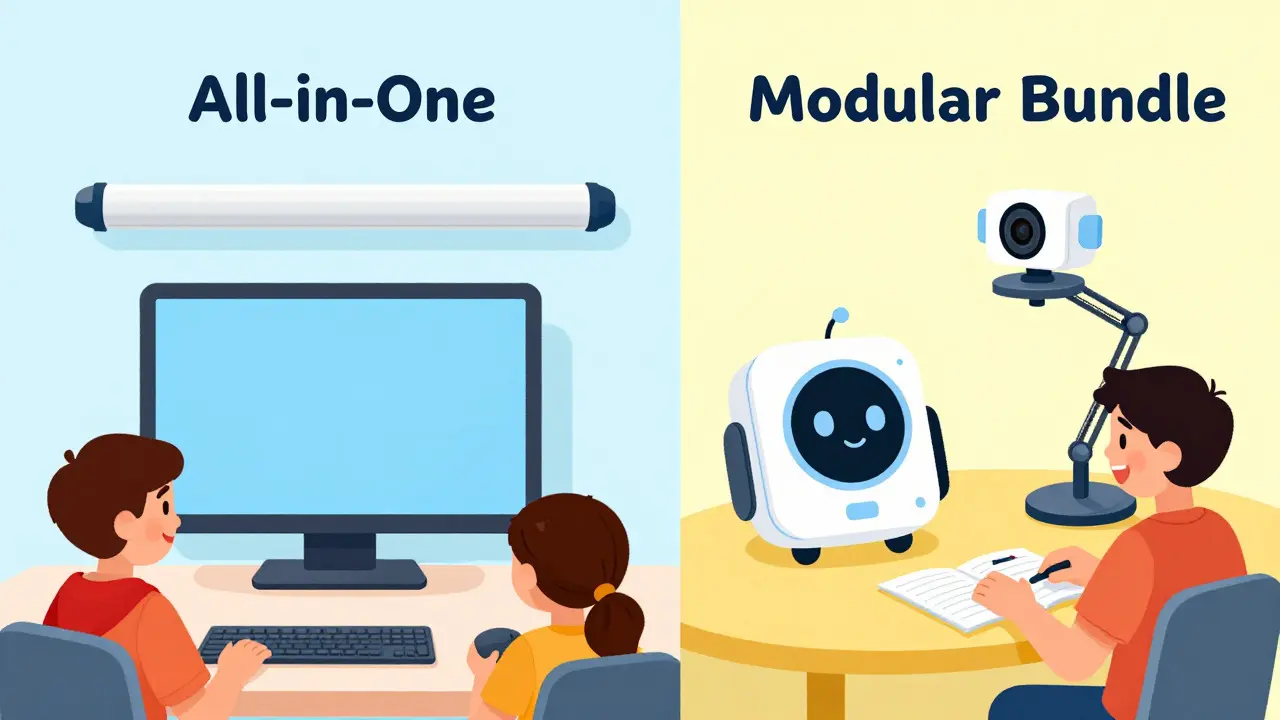
All-in-One Video Bars have become the dominant form factor for huddle rooms. Devices like the Logitech Rally Bar Huddle or Poly Studio X30 integrate the camera, microphone array, and speakers into a single horizontal unit that mounts above a display. This design minimizes cable clutter and provides a clean look. The advantage is ease of installation; you essentially plug in one device to handle audio and video. Many of these bars also support USB-C connections, allowing them to draw power and data from a single cable connected to a controller or laptop.
Modular Bundles, on the other hand, pair a traditional desktop speakerphone with a separate webcam and a hub or controller. This approach offers more flexibility. You can place the speakerphone directly on the table for optimal acoustic performance and mount the camera independently. This is often preferred in rooms where the display is not centered or where users want the tactile feel of a physical keypad for making calls. Vendors like Yealink and Dolby have historically focused on this model, offering robust SIP compatibility that works well with traditional PBX systems alongside modern cloud services.
| Feature | All-in-One Video Bar | Modular Bundle (Phone + Cam) |
|---|---|---|
| Aesthetic Clutter | Low (single unit) | Moderate (multiple devices) |
| Installation Complexity | Simple (mount bar, connect controller) | Moderate (position phone, mount cam, cable management) |
| Audio Flexibility | Fixed position (usually wall/ceiling mounted) | High (phone can be moved/rotated) |
| Typical Price Range | $1,500 - $3,500 | $1,600 - $2,800 |
| Best For | New builds, glass-walled pods, modern offices | Existing rooms, flexible layouts, SIP-heavy environments |
Key Hardware Specifications to Check
Not all huddle room hardware is created equal. Before purchasing, verify these technical attributes to ensure the kit matches your room's acoustics and size.
- Pickup Range: Look for microphones with a range of at least 4 to 7 meters (13 to 23 feet). If your huddle room seats four people around a standard table, you need coverage that reaches the farthest corner. Beamforming technology is crucial here, as it creates directional "beams" that focus on voices rather than picking up ambient noise.
- Field of View (FOV): A diagonal FOV of 110° to 120° is the sweet spot for huddle rooms. Anything narrower cuts off participants at the edges; anything wider may make faces appear too small. Check if the camera supports digital zoom or auto-framing to adjust dynamically.
- Platform Compatibility: Determine if the kit is locked to a specific ecosystem. Some controllers are certified exclusively for Microsoft Teams Rooms or Zoom Rooms. Others support open standards like SIP, allowing them to work with Cisco CallManager, Avaya Aura, or any hosted VoIP provider. Open SIP support offers greater long-term flexibility.
- Compute Requirements: Does the kit require a separate Windows or Mac mini PC? If so, factor in the cost and maintenance of that operating system. Android-based appliances or native apps reduce overhead but may limit customization.
Top Vendors and Market Positioning
The market for huddle room VoIP kits is competitive, with several major players dominating different segments. Here is how the leading vendors position themselves as of 2026.
Poly (HP) a leading provider of unified communications hardware known for high-fidelity audio and strong integration with Microsoft Teams is widely regarded for its audio quality. Their Studio series, including the X30 and R30 bars, offers excellent sound clarity at various price points. In the UK and US markets, their kits typically range from £1,400 to £2,280 excluding VAT, positioning them as a mid-market choice that scales well. They are particularly strong in enterprises standardized on Microsoft Teams.
Logitech a consumer and enterprise electronics company offering a wide range of webcams, conference systems, and peripherals focuses heavily on camera innovation. The Rally Bar Huddle and MeetUp models feature advanced auto-framing and 4K resolution capabilities. Logitech’s strength lies in flexible bundling options, allowing integrators to pair their bars with various controllers and compute devices. This makes them a popular choice for organizations that want premium video without being locked into a single audio brand.
Yealink a manufacturer of VoIP phones and video conferencing equipment known for cost-effective, easy-to-deploy solutions targets the budget-conscious and IT-managed segment. Their Android-based MeetingBar A10 and A25 kits eliminate the need for a room PC, simplifying deployment significantly. With price points starting around $1,659 for complete kits, Yealink appeals to companies looking to equip many huddle rooms quickly with minimal per-room complexity.
Dolby an audio technology company specializing in high-fidelity sound processing and consumer electronics entered the market with the Voice Room bundle, emphasizing superior audio branding and intelligent scene framing. While some of their early bundles have been discontinued, their legacy remains in the preference for high-end audio processing in professional settings.
Deployment and Integration Best Practices
Buying the right hardware is only half the battle. Successful deployment requires careful planning to ensure the kit integrates smoothly with your existing infrastructure.
Network Readiness: Ensure your local area network can handle the bandwidth requirements of HD video. A stable Gigabit Ethernet connection is recommended for wired installations, though Wi-Fi 6 can work in low-interference environments. QoS (Quality of Service) settings should prioritize VoIP traffic to prevent jitter during peak usage times.
Mounting and Placement: Mount the video bar or camera at eye level, typically 1.5 to 1.7 meters from the floor. Avoid placing it directly under bright lights or near windows to prevent glare on the lens. For modular speakerphones, place the device centrally on the table, away from reflective surfaces that might cause acoustic feedback.
Licensing and Subscription: Clarify whether the hardware includes a license for the room software or if you need a separate subscription. For example, Microsoft Teams Rooms on Windows requires a specific license per room, while Zoom Rooms may operate differently depending on your plan. Factor these recurring costs into your total cost of ownership calculation.
User Training: Keep the interface simple. Most users expect to tap "Join" and see their contacts immediately. Complex menus lead to abandoned calls. Choose controllers with intuitive UIs and provide quick-reference guides for common tasks like adjusting volume or muting the mic.

Common Pitfalls to Avoid
Even experienced IT teams can stumble when deploying huddle room kits. Watch out for these frequent issues:
- Platform Lock-In: Buying a kit that only works with one conferencing platform can be risky if your organization switches providers later. Prioritize open SIP support or multi-platform certification if flexibility is a priority.
- Acoustic Echo Cancellation Failures: If the speaker volume is too high relative to the microphone sensitivity, echo can occur. Test the room with actual voices, not just test tones, to verify that AEC (Acoustic Echo Cancellation) is functioning correctly.
- Ignoring Cable Management: Huddle rooms are small. Exposed cables look unprofessional and pose tripping hazards. Use raceways or conduit to hide cabling, especially in visible areas.
- Overlooking Future-Proofing: Hardware refreshes happen every few years. Ensure that your chosen vendor has a clear lifecycle policy and that the physical mounting brackets are compatible with future models to avoid re-drilling walls.
Frequently Asked Questions
Do I need a separate computer for a huddle room VoIP kit?
Not always. Many modern kits, particularly those from Yealink and some Poly models, use Android-based appliances or integrated compute within the video bar itself. However, kits designed for Microsoft Teams Rooms on Windows or Zoom Rooms often require a dedicated mini PC (like an HP Mini IP PC or Intel NUC) to run the necessary operating system and software stack. Check the specific product specifications to see if a compute appliance is included or required separately.
What is the difference between a huddle room kit and a small room kit?
The distinction is primarily based on capacity and audio coverage. Huddle room kits are designed for 1 to 5 participants, with microphone pickup ranges typically up to 7 meters. Small room kits are intended for 6 to 8 participants and often feature more powerful speakers, wider microphone arrays, and sometimes additional ceiling microphones to cover larger square footage. The hardware budget for small rooms is also higher, often exceeding $6,000 compared to the $3,500-$6,000 band for huddle rooms.
Can huddle room kits work with traditional SIP PBX systems?
Yes, many kits support open SIP protocols. Brands like Yealink and previously Dolby offered devices that function as standard SIP endpoints, compatible with Cisco CallManager, Avaya Aura, and other on-premise PBXs. However, newer cloud-focused kits from Logitech and Poly may prioritize proprietary protocols for Zoom or Teams, so verify SIP compatibility if you are not using a cloud service.
How much does it cost to outfit a huddle room with VoIP hardware?
As of 2026, typical hardware costs range from $1,659 for entry-level Android-based kits to $3,500 for premium all-in-one bars with high-end audio. Full bundles including mini PCs and touch controllers can reach $6,000. Additional costs may include installation labor, network upgrades, and software licensing fees for platforms like Microsoft Teams Rooms or Zoom Rooms.
Which brands offer the best audio quality for huddle rooms?
Industry analyses often cite Poly (HP) for having the best audio at each price band, thanks to their extensive experience in conference phone technology. Logitech also offers strong audio performance with beamforming microphones, while Yealink provides solid, cost-effective audio suitable for most corporate environments. Dolby-branded solutions are renowned for high-fidelity processing, though their current availability varies by region.