
Picture this: you are in the middle of a high-stakes sales call. The client is asking for a discount, and suddenly, your voice turns into robotic static or disappears entirely for three seconds. You panic. Was it your headset? No. It was your internet connection stuttering because your router tried to switch between two different ISPs at the exact wrong moment.
This scenario highlights a common misconception in business networking. Many managers assume that adding a second internet line (Dual WAN) automatically makes their VoIP calls clearer and more reliable. In reality, Dual WAN setups often make things worse if configured incorrectly. The core issue isn't just about having two pipes to the internet; it is about how those pipes handle real-time voice data.
To keep your calls crisp and connected, you need to understand the difference between simple failover, basic load balancing, and true link aggregation. Each method affects latency, jitter, and packet loss differently. Let’s break down exactly how these technologies work and what they mean for your phone system.
Understanding Dual WAN Modes
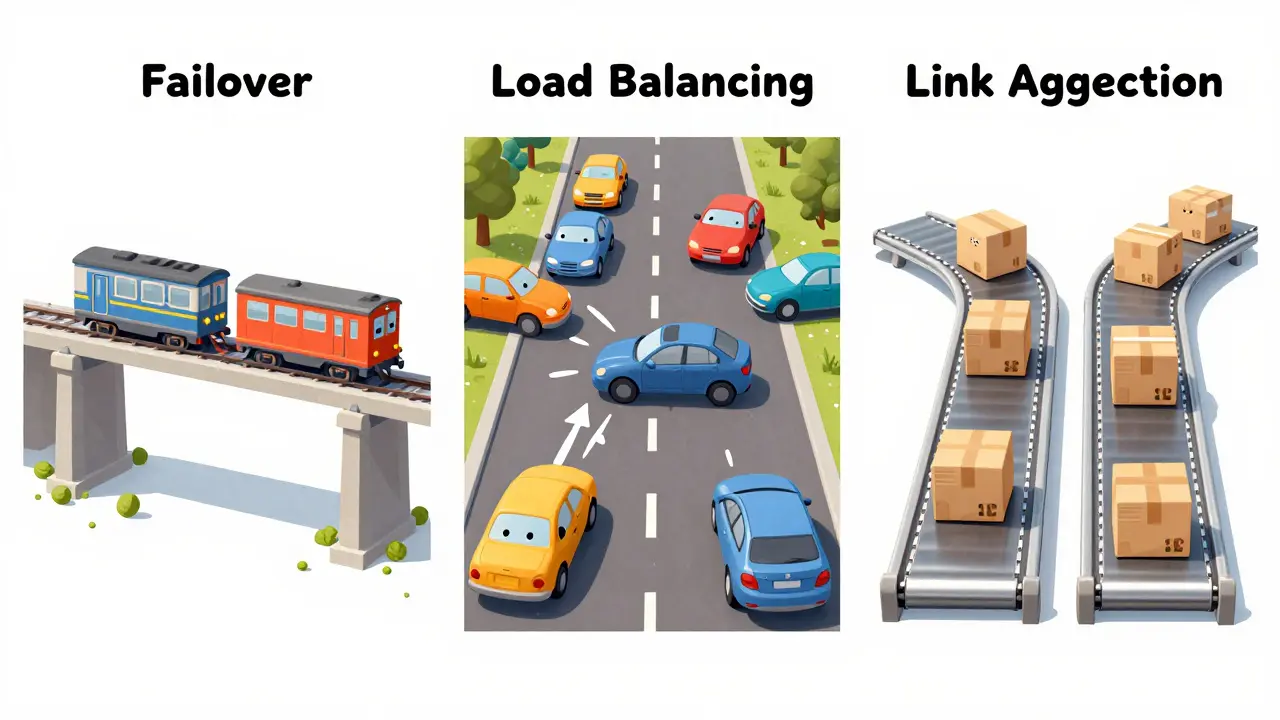
Before we talk about voice quality, we need to define what "Dual WAN" actually does. At its simplest, a dual-WAN router has two connections to the outside world-let’s say WAN1 is fiber optic and WAN2 is 5G cellular. But the router needs rules on how to use them. There are generally three ways these systems operate, and each has a distinct impact on call quality.
| Mode | How It Works | Impact on VoIP |
|---|---|---|
| Failover | WAN1 is active. WAN2 sits idle until WAN1 dies completely. | High availability during outages, but no bandwidth gain. Risk of dropped calls during the switch. |
| Load Balancing | Traffic is split across both links (usually per-session). | Increased total bandwidth for downloads, but risky for single voice streams due to path changes. |
| Link Aggregation / Bonding | Packets from one session are split across both links and reassembled. | Best performance if done correctly. Requires specialized hardware/software (SD-WAN). |
The key takeaway here is that standard consumer or prosumer routers usually only offer the first two modes. True aggregation requires more sophisticated technology. If you are using a basic router with "Load Balance" turned on, you might be hurting your voice quality without realizing it.
The Failover Trap: Why Switching Hurts Voice
Let’s look closer at failover. This is the most common setup for businesses wanting redundancy. You set your primary ISP as the main route. If the router stops receiving pings from that ISP, it switches everything to the backup line.
On paper, this sounds perfect. In practice, it introduces a dangerous variable: time. How long does it take for the router to detect the failure and switch paths? On many standard firewalls, this detection window can range from 3 to 10 seconds. For downloading an email, nobody notices. For a live VoIP call, 3 seconds of silence is catastrophic.
Even if you configure "sub-second failover"-which some advanced firewalls support-the act of switching routes itself causes disruption. When the path changes, existing TCP sessions might reset. More importantly for voice, the Real-Time Transport Protocol (RTP) streams carrying your audio packets are interrupted. The SIP signaling might survive, but the media stream breaks. Users hear choppy audio, echo, or the call drops entirely.
Experts recommend that if you rely on failover, you must pair it with SIP trunk redundancy. This means your VoIP provider should also have multiple entry points so that if your local network blinks, the provider can reroute the call signal independently of your physical internet pipe.
Load Balancing and the Jitter Problem
Many administrators turn on load balancing hoping to double their available bandwidth. They think, "If I have two 100 Mbps lines, I now have 200 Mbps for my phones." This logic works for file transfers. It fails miserably for voice.
Most basic dual-WAN routers use per-session load balancing. This means all packets for one specific conversation (one IP address talking to another) stay on one link. However, the router decides which link to use based on current load. If you start a large download on WAN1, the router might assign your next VoIP call to WAN2.
The problem arises when conditions change mid-call. If WAN1 becomes congested, some aggressive routers might try to move traffic around. Even worse, if the return traffic from the VoIP server takes a slightly different path back to your office due to global routing quirks, your packets arrive out of order. This creates jitter.
Jitter is the variation in delay between packets. Human ears are incredibly sensitive to this. If one packet arrives instantly and the next one is delayed by 50 milliseconds, your VoIP software has to buffer the audio to smooth it out. This buffering adds latency. If the jitter gets too high, the software discards late packets to prevent garbled speech. You end up with missing words in sentences. This is why many network pros advise against load-balancing VoIP traffic unless you are using dedicated SD-WAN appliances.
Link Aggregation: The Gold Standard for Voice
If failover risks dropping calls and load balancing risks jitter, what is the solution? The answer is link aggregation, often marketed as channel bonding or part of an SD-WAN strategy.
Unlike basic load balancing, true aggregation operates at the packet level. It splits a single data stream (like one VoIP call) across both internet connections simultaneously. A specialized controller receives these packets, reorders them, and reconstructs the original data stream before sending it to your phones.
This approach offers two massive benefits for VoIP:
- Bandwidth Summation: You truly get the combined speed of both links, ensuring that heavy data usage elsewhere doesn't starve your voice traffic.
- Seamless Healing: If one link fails or degrades (a "brownout"), the bonding software instantly shifts the entire load to the remaining link without resetting the session. Because the packets are being reordered anyway, the user hears nothing but continuous audio.
However, this complexity comes with a cost. Aggregation adds a tiny amount of processing overhead (latency) because the device has to encrypt, tag, send, receive, reorder, and decrypt every packet. To mitigate this, you need low-latency hardware and ideally, a bonding endpoint (cloud node) geographically close to your office. Without proper tuning, aggregation can introduce enough delay to make conversations feel unnatural.
Critical Configuration Settings for Quality
Regardless of whether you choose failover, load balancing, or aggregation, you cannot ignore Quality of Service (QoS). QoS is the traffic cop of your network. It tells the router which packets are VIPs and which ones can wait.
For VoIP to work well on a multi-WAN setup, you must implement strict QoS policies. Here is what you need to check:
- Mark VoIP Traffic: Ensure your router identifies SIP signaling (UDP port 5060/5061) and RTP media streams (usually UDP ports 10000-20000) as highest priority.
- Session Affinity: If using load balancing, enable "sticky sessions." This forces a specific VoIP call to stay on one WAN link for its entire duration, preventing mid-call path switching.
- Forward Error Correction (FEC): Enable FEC if your hardware supports it. FEC sends redundant data packets that allow the receiver to reconstruct lost packets without asking for a retransmission. This is crucial for covering brief spikes in packet loss on cellular backups.
- Packet Reordering: Ensure your edge device can reorder packets arriving from different WAN paths. Without this, multipath routing will cause audio glitches.
A common pitfall is neglecting the "health checks" that trigger failover. Default settings often ping a public DNS server like Google (8.8.8.8). But what if your internet is fine, but the route to Google is slow? Your router might falsely declare a failure and switch WANs, causing unnecessary jitter. Configure health checks to ping targets relevant to your VoIP provider's infrastructure instead.

Hardware Considerations: Not All Routers Are Equal
You cannot run enterprise-grade VoIP over a $100 home gateway. The CPU in cheap routers simply cannot handle the encryption and packet inspection required for seamless failover or aggregation while maintaining low latency.
When selecting hardware for a Dual WAN VoIP environment, look for devices specifically designed for business continuity. Brands like Peplink, Fortinet, or SonicWall offer features like "SpeedFusion" or "Application-Based Routing" that are aware of voice protocols. These devices monitor not just connectivity, but also latency and packet loss in real-time. They can dynamically steer voice traffic to the best-performing link every few milliseconds, rather than making a blunt decision once a minute.
If you are stuck with generic hardware, your safest bet is to disable load balancing for voice entirely. Create a policy that pins all VoIP traffic to your most stable, lowest-latency WAN link (usually fiber) and uses the second link only for general web browsing and file transfers. This sacrifices bandwidth efficiency but guarantees consistent audio quality.
Monitoring and Testing Your Setup
Setting up Dual WAN is not a "set it and forget it" task. You must actively test how your voice quality holds up during transitions. Use tools like Wireshark to capture traffic during a simulated WAN failure. Look for spikes in jitter above 30ms or latency above 150ms. These are the thresholds where ITU-T standards suggest voice quality begins to degrade noticeably.
Regularly audit your QoS logs. Are your voice packets being dropped during peak hours? If so, your bandwidth allocation is insufficient, or your QoS rules aren't strict enough. Remember, Dual WAN provides resilience, but it does not create bandwidth out of thin air. If both links are saturated, even the best aggregation algorithm will struggle to prioritize voice over a massive video download.
Does Dual WAN improve VoIP call quality?
Not directly. Basic Dual WAN improves uptime and reliability by providing a backup connection. However, if configured with simple load balancing, it can actually degrade call quality by introducing jitter and packet reordering issues. To improve quality, you need advanced features like SD-WAN bonding, strict QoS, and sub-second failover.
What is the difference between failover and load balancing for VoIP?
Failover keeps one connection active and switches to the other only when the first fails. This is safer for voice but offers no extra bandwidth. Load balancing splits traffic across both connections. While this increases total bandwidth, it can cause voice packets to take different paths, leading to jitter and choppy audio unless session affinity is strictly enforced.
Is SD-WAN necessary for Dual WAN VoIP?
It is highly recommended for mission-critical environments. SD-WAN provides application-aware routing, meaning it can identify VoIP traffic and dynamically steer it to the best-performing link in real-time. It also supports packet-level aggregation and seamless healing, which standard routers cannot do effectively.
How much latency is acceptable for VoIP over Dual WAN?
Industry standards (ITU-T G.114) suggest keeping one-way latency below 150 milliseconds for toll-quality voice. Jitter should remain under 30 milliseconds. Any Dual WAN configuration that pushes these metrics higher during normal operation or failover events will result in noticeable degradation for users.
Can I use cellular as a backup WAN for VoIP?
Yes, but with caution. Cellular networks often have higher latency and jitter than fiber or cable. If used as a failover, ensure your router has sub-second detection times. If used for load balancing, pin critical VoIP traffic to your wired connection and reserve cellular for less sensitive data to avoid audio glitches caused by wireless instability.